

Your first Voice AI Agent
Verloop Voice AI Agents enable businesses to build, deploy, and manage AI Agents and deliver seamless user interactions.1
Login to Verloop
- Go to Verloop.io and login to your account
- If you do not have an existing account, reach out to sales by using the Demo link
2
Your First Voice AI Agent
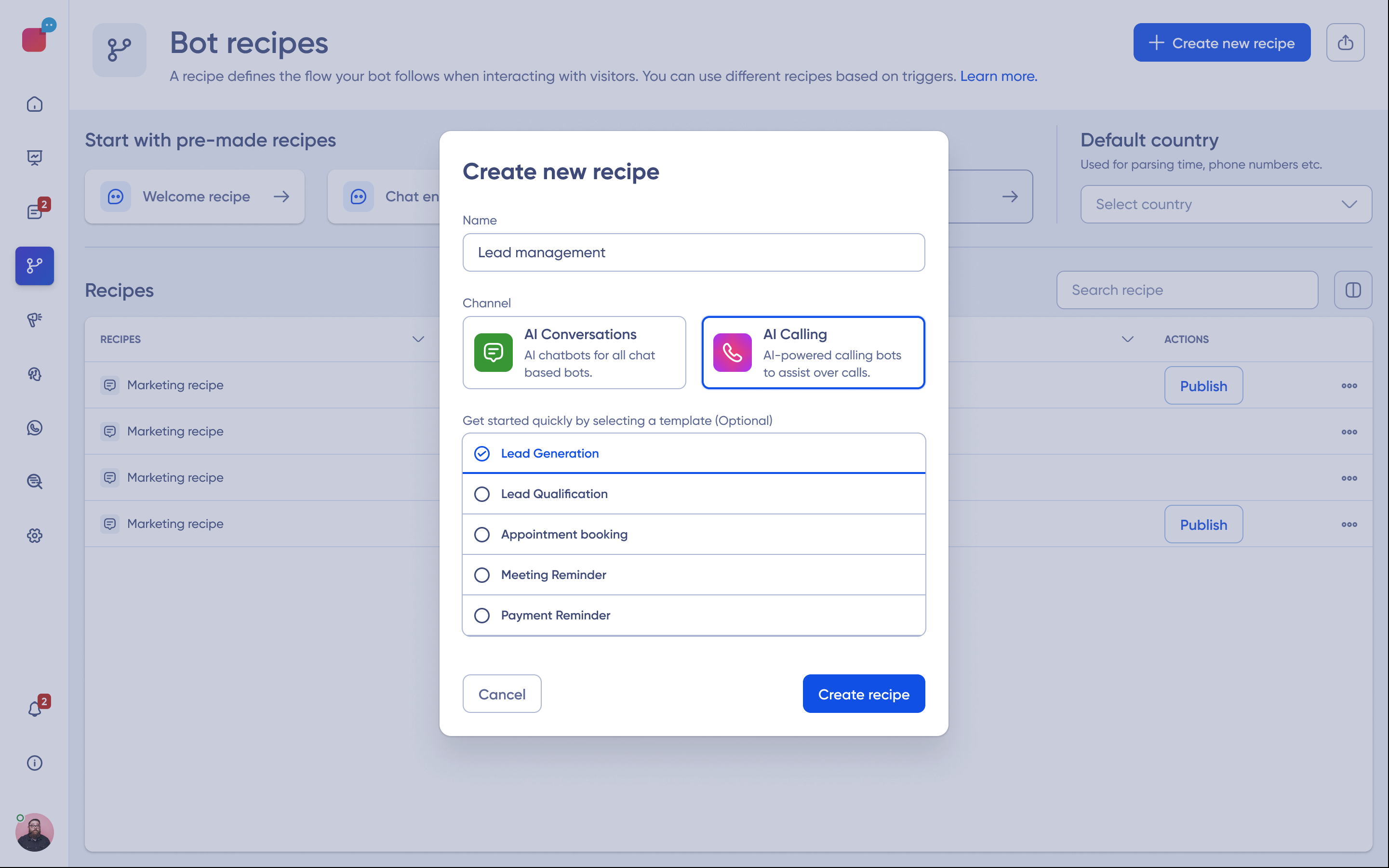
- From the Dashboard, navigate to the Recipe section
- Click “Create New Recipe”
- Select Phone as the Channel
- Choose a template or start from scratch
3
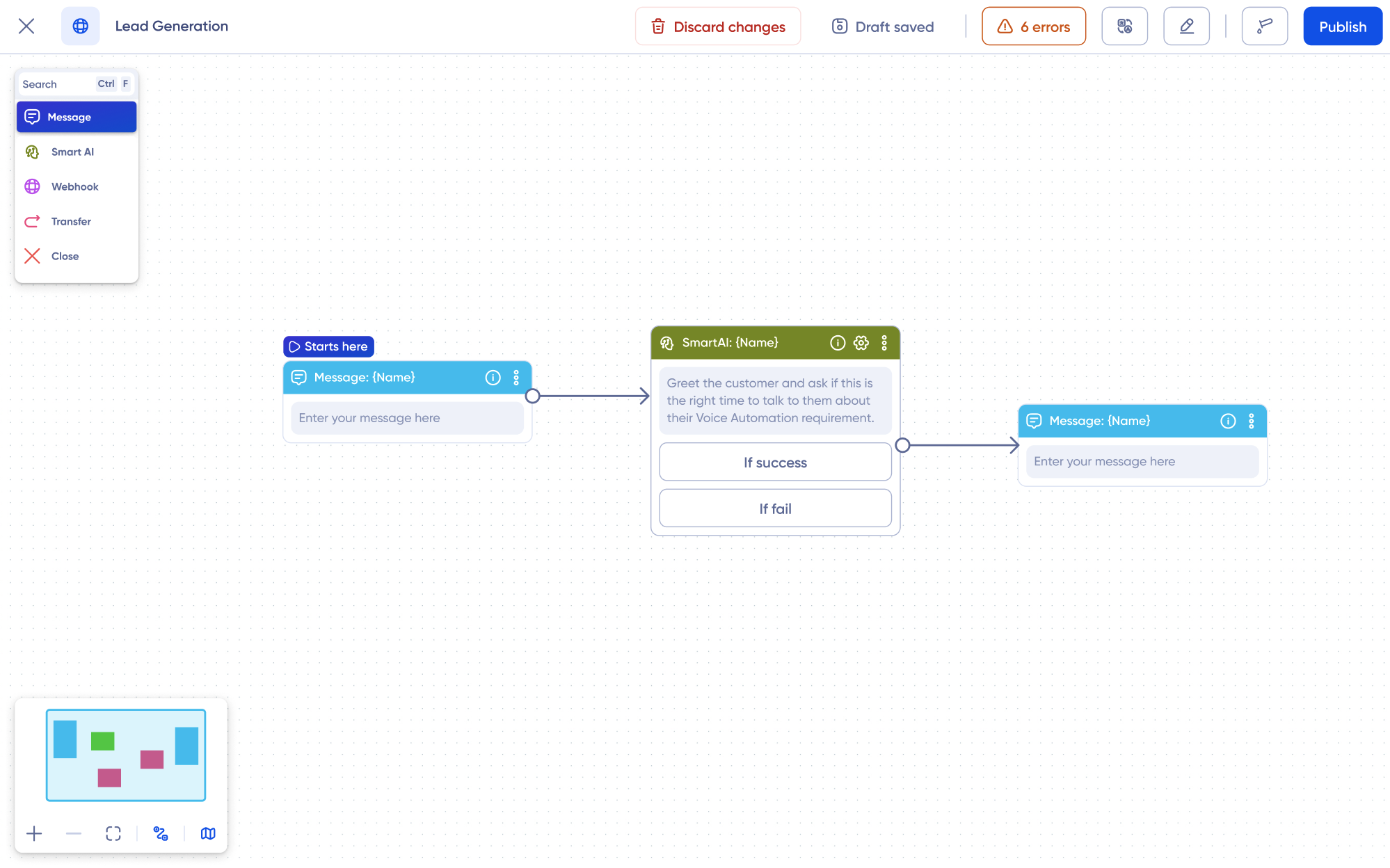
Design your Agent
- Add a Welcome Message
- Configure a Smart AI Block for workflow
4
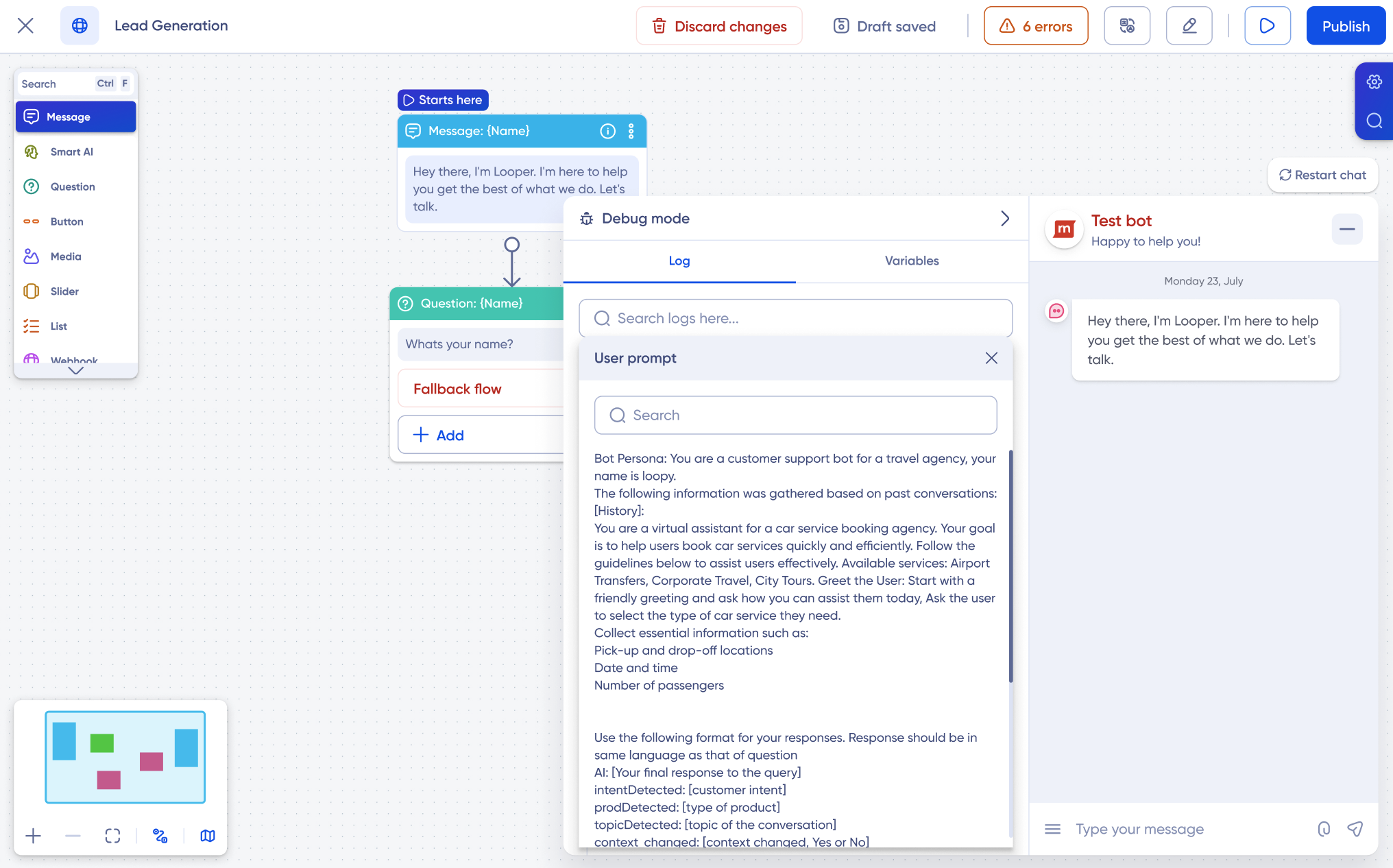
Test your Agent
- Click Preview to simulate a conversation.
- Adjust responses or flows based on the test results.
- You can leverage Debug Mode for in-depth information
5
Deploy
Click Deploy to make the Agent production-ready.
- Make outbound calls
- Engage users in inbound conversations
- Handle inquiries and process requests 24/7
- Enhance customer interactions